Showing posts with label How To. Show all posts

Saturday, August 10, 2024

Using a Multi Meter to Measure Amps

 To use a digital multimeter (DMM) to measure direct current (DC) amps, or amperes, in a circuit, you can try these steps:

Read the manual: Understand how to safely use your specific model.

Plug in the leads: Insert the red lead into the 10 amps port and the black lead into the COM port.

Turn it on: Turn on the multimeter and set it to current mode.

Select the range: Choose the appropriate range for your application. If you're not sure what the current value is, you can start with the 10 amps port and then switch to a lower range if the value is under 200 milliamps.

Break the circuit: Connect the DMM to the circuit so it becomes part of it, breaking the circuit and forcing the current to flow through the multimeter. For example, if you're measuring the current on a breadboard, you can break the circuit by moving the resistor lead over a couple of rows.

Take the reading: You should now get a reading. 


Sunday, July 21, 2024

Yaesu F-710: What is and why use AESS sound


Most people don't really understand the purpose of the AESS and why this sound system exists. Many discount it as non functional or no real functional effect. That is because most don't read the manual and most don't experiment with the sound settings.  None the less ...

Wednesday, July 3, 2024

How to Use WSTJ-X: Master Class Video

This is not my video, this influencer is one of my favorite "ham radio how to" producers. This video is what to do after you have connected it to your radio. Check out his other other video's https://www.youtube.com/@hamradiotube


Tuesday, July 2, 2024

WSJT-X Dark mode!

 Originally posted by GM6NX @ https://gm6nx.com/wsjt-x-dark-mode/

WSTJ-X Dark Mode! 

Your right WSJT-X can hurt your eyes because of the white glare from the screen. Well this guide will show you how to turn WSJT-X into dark mode.

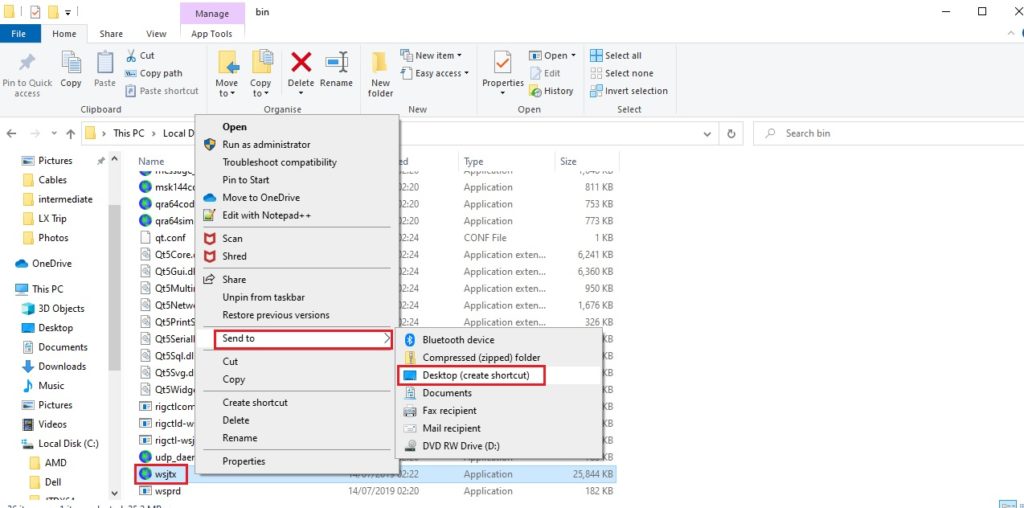
Step one – create a new short cut from the WSJT-X.exe file to your desktop. You will find this in the C: drive or what ever letter your hard drive is.

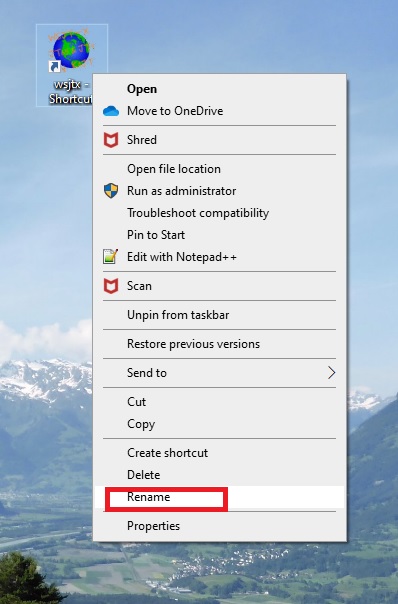
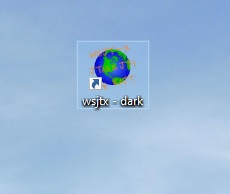
Step two – rename your short cut to something you will known that it is the dark mode version, I called mine “WSJT-X – DARK”

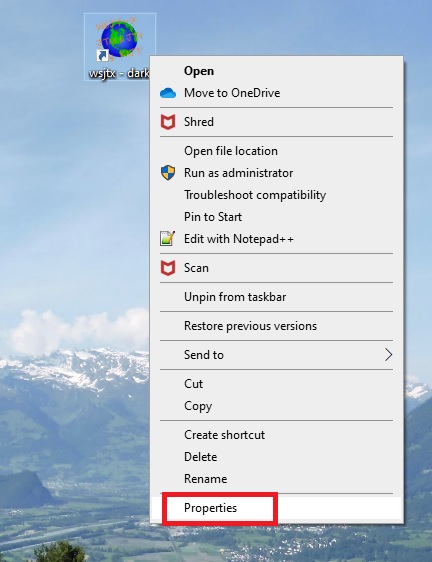
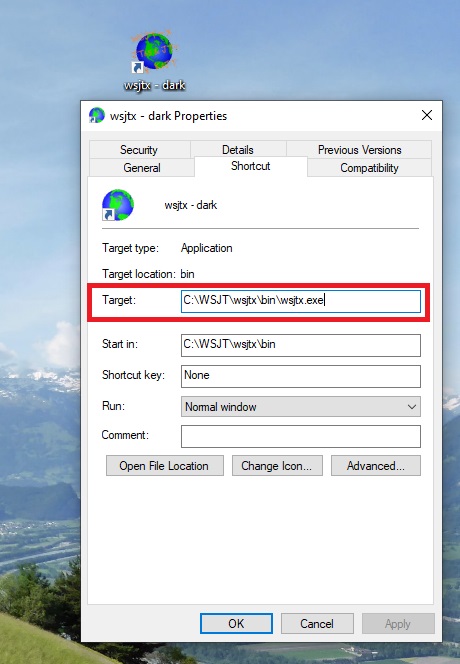
Step three – Right click on the short cut and select properties.

Step four -click in the target section

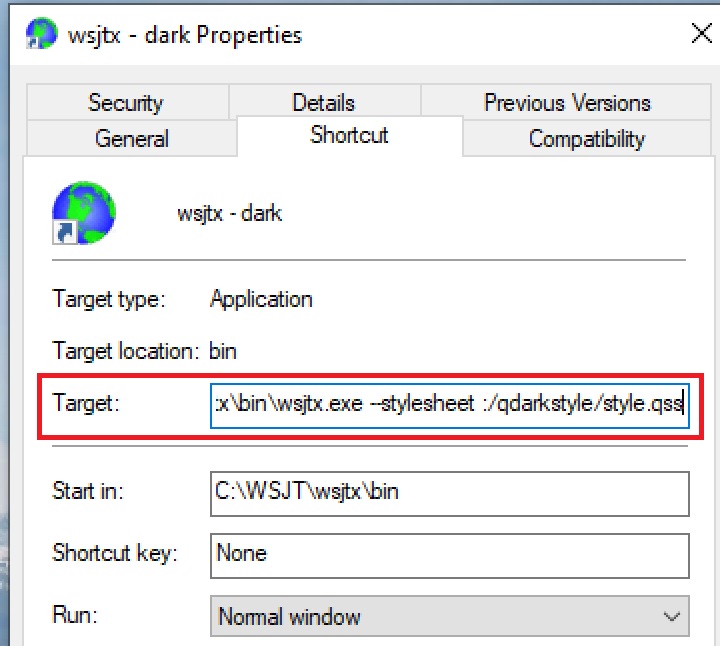
Step five – after the wsjtx.exe add the following

–stylesheet :/qdarkstyle/style.qss

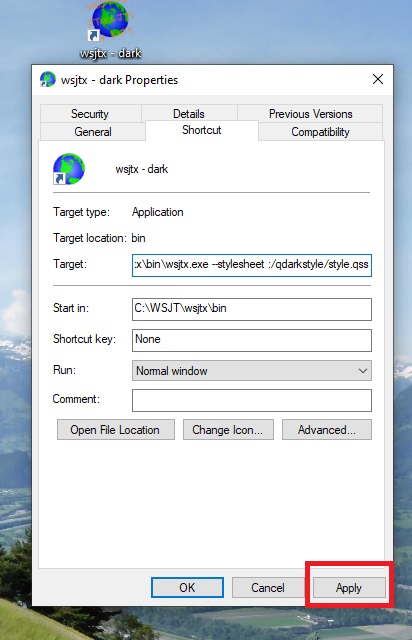
Step six – click apply then OK.

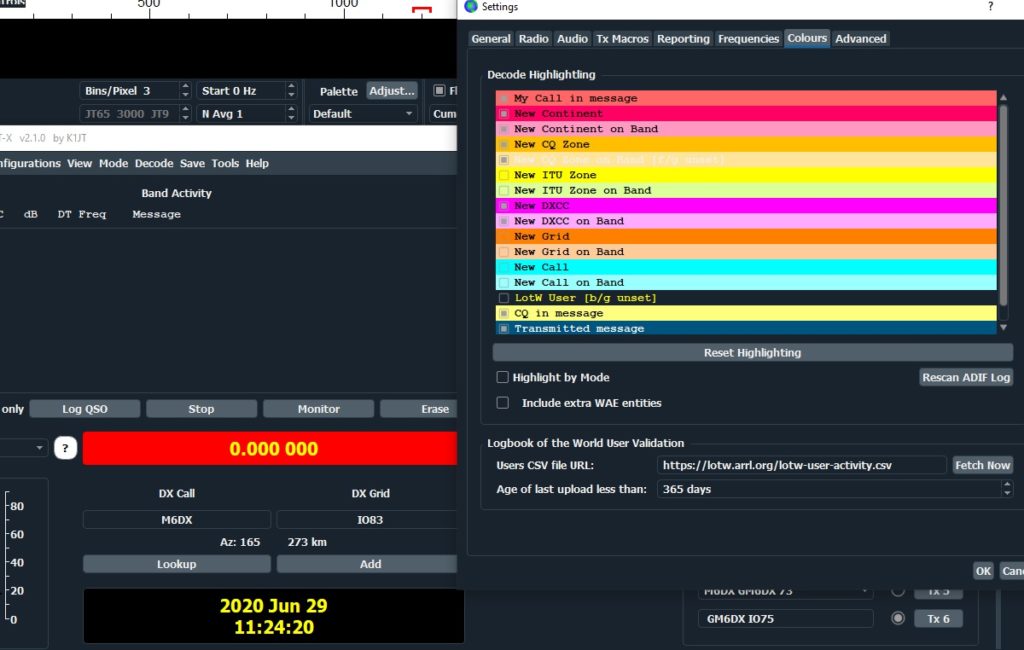
Step seven – click on your new short cut and open up WSJT-X – remember to change the colours to suit your own needs inside the wsjt-x program.

Any Questions?

Setting Up Your FT-710 For FT-8


Click Here to Down Load the official Yaesu FT-710 Specific WSTJ-X FT-8 Set up manual.

Follow it STEP by STEP and you will be receiving and transmitting in about 10 minutes.