This is not my video, this influencer is one of my favorite "ham radio how to" producers. This video is what to do after you have connected it to your radio. Check out his other other video's https://www.youtube.com/@hamradiotube
Showing posts with label WSJT-X. Show all posts
Showing posts with label WSJT-X. Show all posts
Wednesday, July 3, 2024
Tuesday, July 2, 2024
WSJT-X Dark mode!
Originally posted by GM6NX @ https://gm6nx.com/wsjt-x-dark-mode/
WSTJ-X Dark Mode!
Your right WSJT-X can hurt your eyes because of the white glare from the screen. Well this guide will show you how to turn WSJT-X into dark mode.
Step one – create a new short cut from the WSJT-X.exe file to your desktop. You will find this in the C: drive or what ever letter your hard drive is.
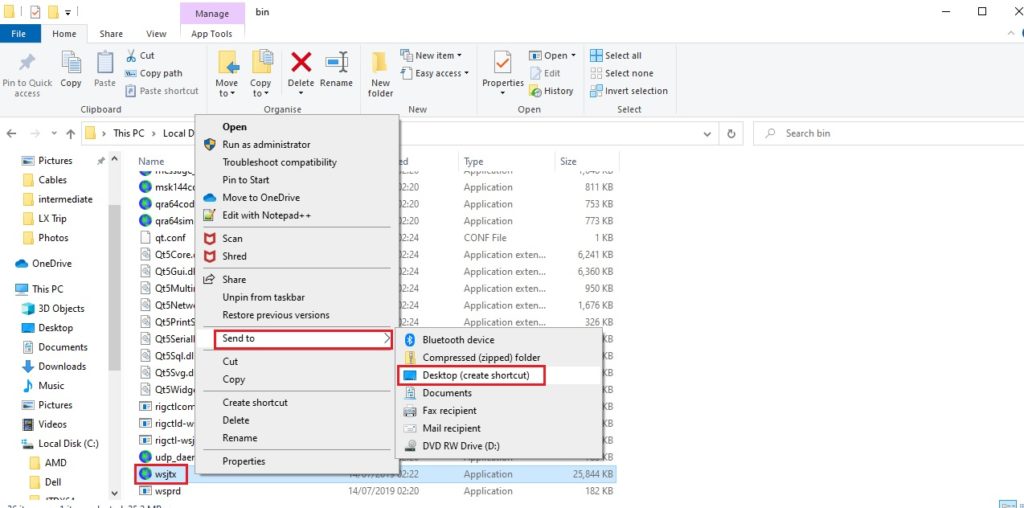
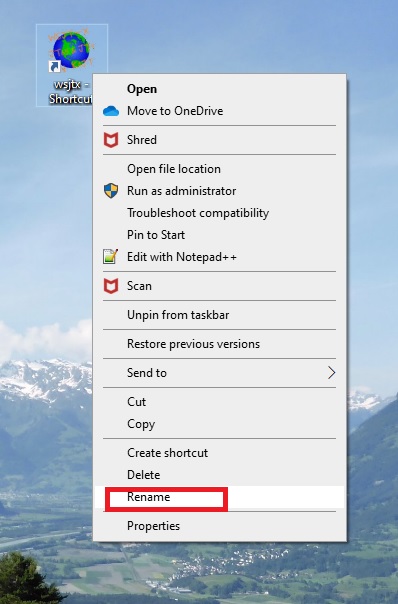
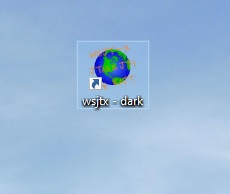
Step two – rename your short cut to something you will known that it is the dark mode version, I called mine “WSJT-X – DARK”
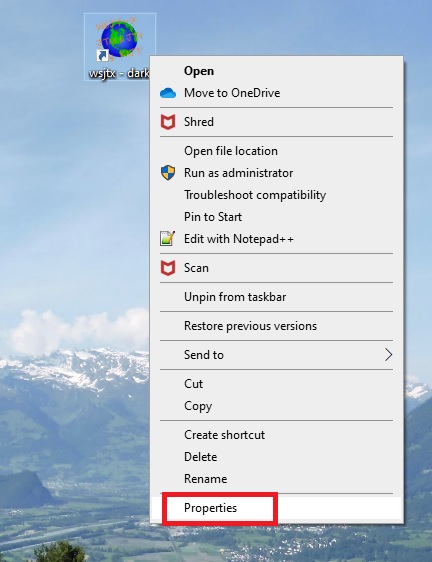
Step three – Right click on the short cut and select properties.
Step four -click in the target section
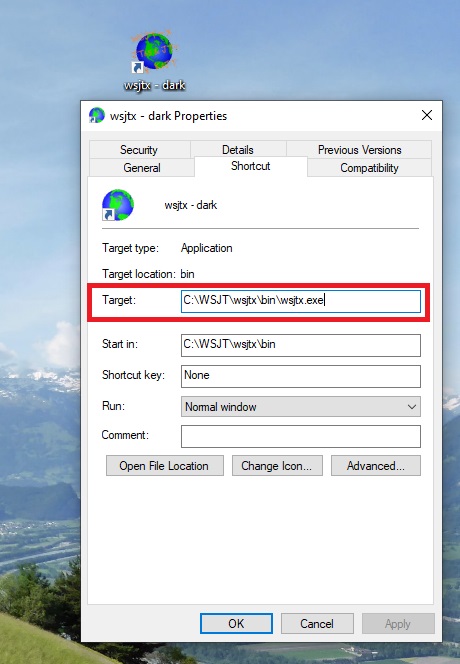
Step five – after the wsjtx.exe add the following
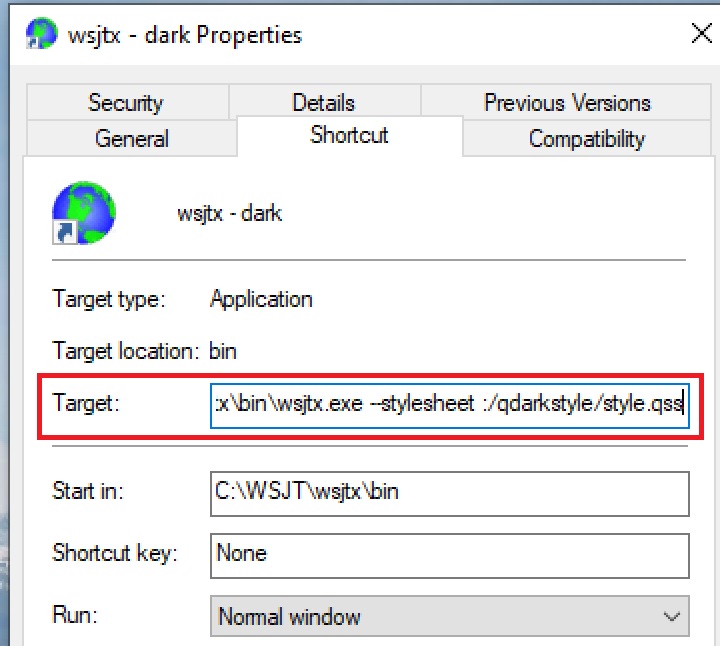
–stylesheet :/qdarkstyle/style.qss
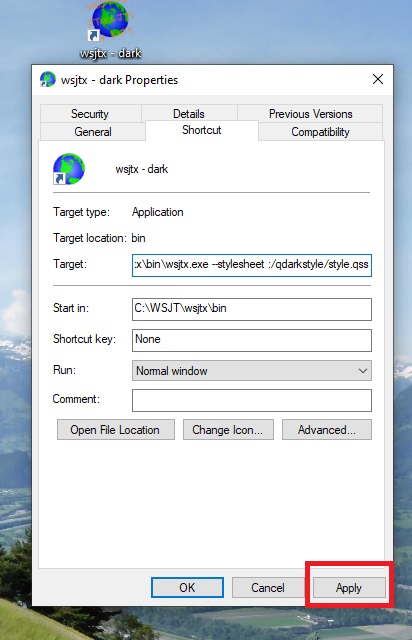
Step six – click apply then OK.
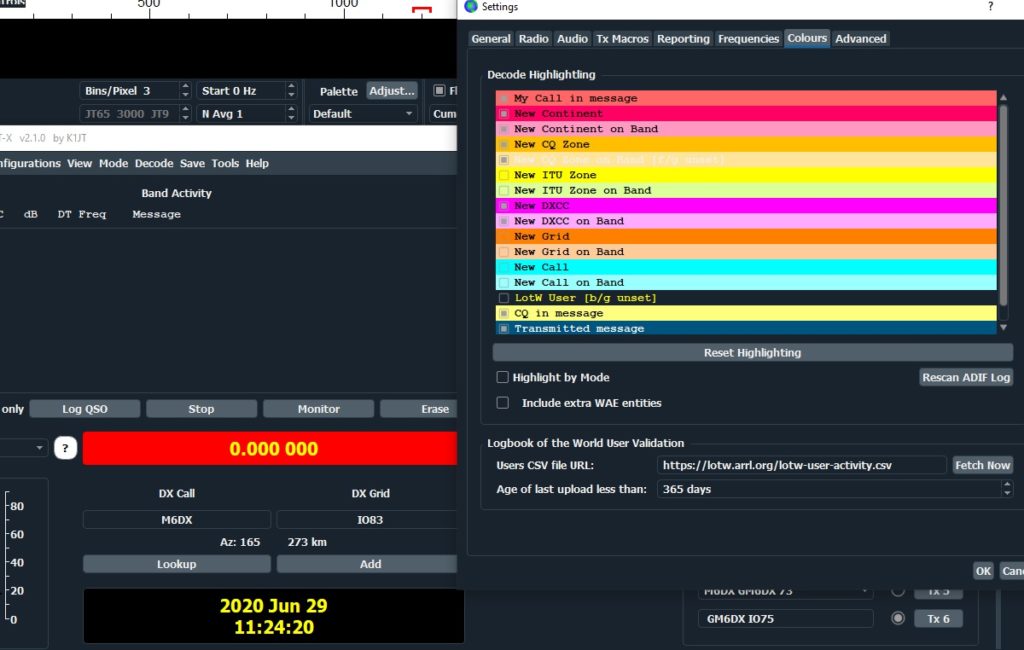
Step seven – click on your new short cut and open up WSJT-X – remember to change the colours to suit your own needs inside the wsjt-x program.
Any Questions?

Setting Up Your FT-710 For FT-8

Click Here to Down Load the official Yaesu FT-710 Specific WSTJ-X FT-8 Set up manual.
Follow it STEP by STEP and you will be receiving and transmitting in about 10 minutes.
Subscribe to:
Posts (Atom)